v1.0.0 — Tauri v2 rewrite
Trace the route.
See the world.
Run traceroute from your own network. Enrich every hop with GeoIP, ASN, and registry metadata. Animate the path across a 3D globe in real time.
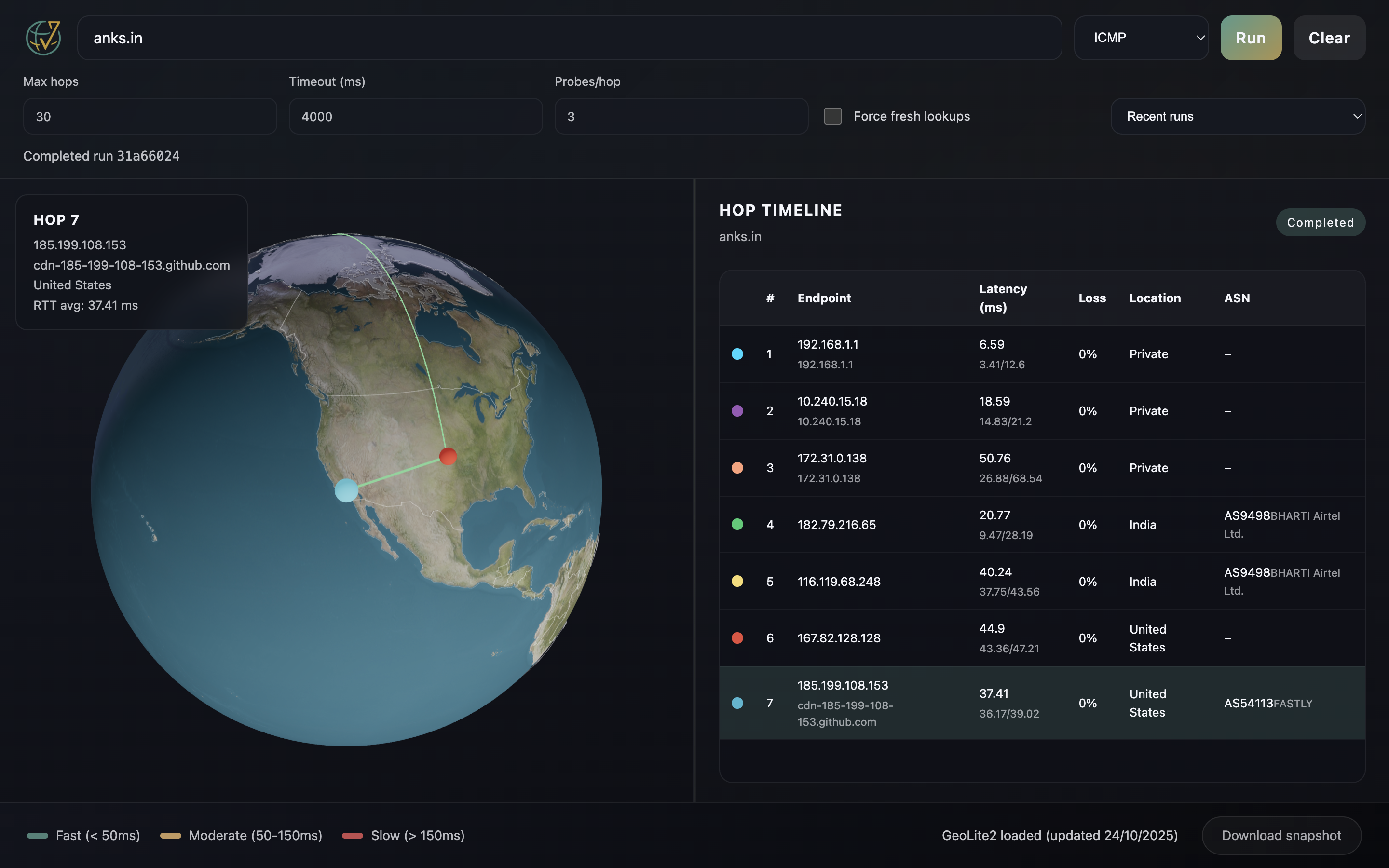
Run traceroute from your own network. Enrich every hop with GeoIP, ASN, and registry metadata. Animate the path across a 3D globe in real time.
VisTracer runs traceroute from your machine and enriches every hop with geolocation, ASN data, and registry metadata.
The globe, hop locations, layers and satellites come with the next release after v1.0.0.
Watch your traceroute hops light up on an interactive CesiumJS globe with raised great-circle arcs, NASA day and night imagery that works offline, and country borders.
Hop data appears in the UI as it is parsed from the native traceroute process. No waiting for the full run to finish.
Local MaxMind GeoLite2 databases provide city, country, and ASN context for every hop, with persistent caching.
Cross-check with Team Cymru, RDAP, RIPE Stat, and PeeringDB to fill metadata gaps and validate GeoIP output.
Each hop is placed from internet exchange LANs, router host names and GeoLite2, checked against the speed of light, and drawn with a confidence ring true to scale. Anycast addresses are marked, not placed.
Show internet exchanges and data centres (PeeringDB), AWS, Google Cloud and Azure regions and Cloudflare data centres, and one colour per network. All off until you turn them on.
Starlink, OneWeb, GPS, space station and geostationary satellites where they are now, computed with SGP4 from CelesTrak data and moved once a second. A hop in a satellite provider's network is marked as a likely or possible satellite link, with a confidence.
Capture still images (PNG/JPG/WebP) or animated routes (WebM/GIF) with per-hop tooltips showing ASN and location.
Native Tauri v2 app for macOS, Windows, and Linux. Supports ICMP, UDP, and TCP protocols with full IPv4 and IPv6.
Watch hops resolve in real time as the traceroute runs. The globe animates to each new hop.
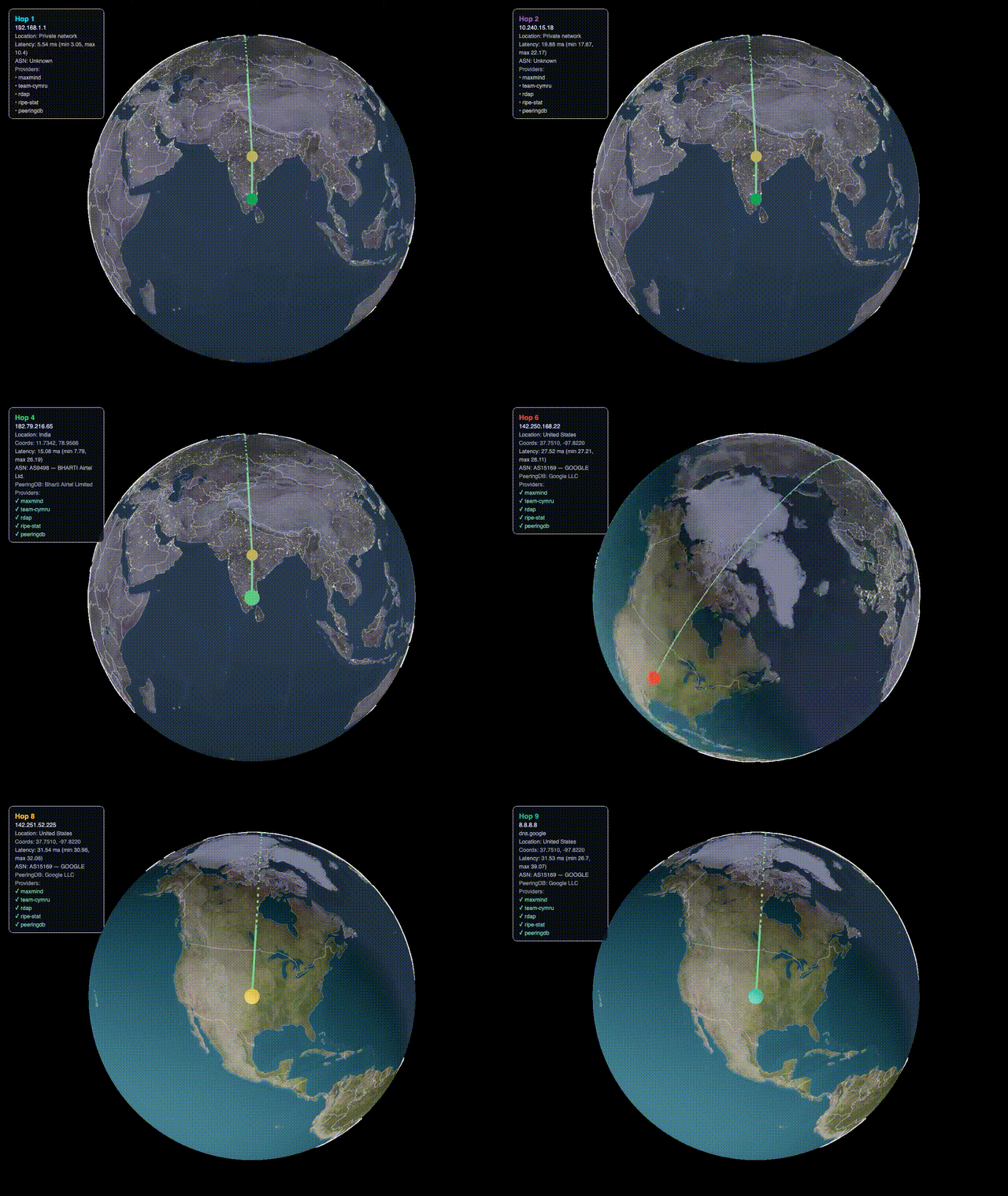
Free and open source. Pre-built binaries for every major platform.
Free and open source. Also available as Linux .deb on the releases page.
macOS: This release runs on Apple Silicon Macs. The app is not notarized with Apple. On first launch, right-click (or Control+click) VisTracer → click Open → then click Open again in the dialog.
Alternatively, run
xattr -cr VisTracer.app
in Terminal before opening.